The short answer
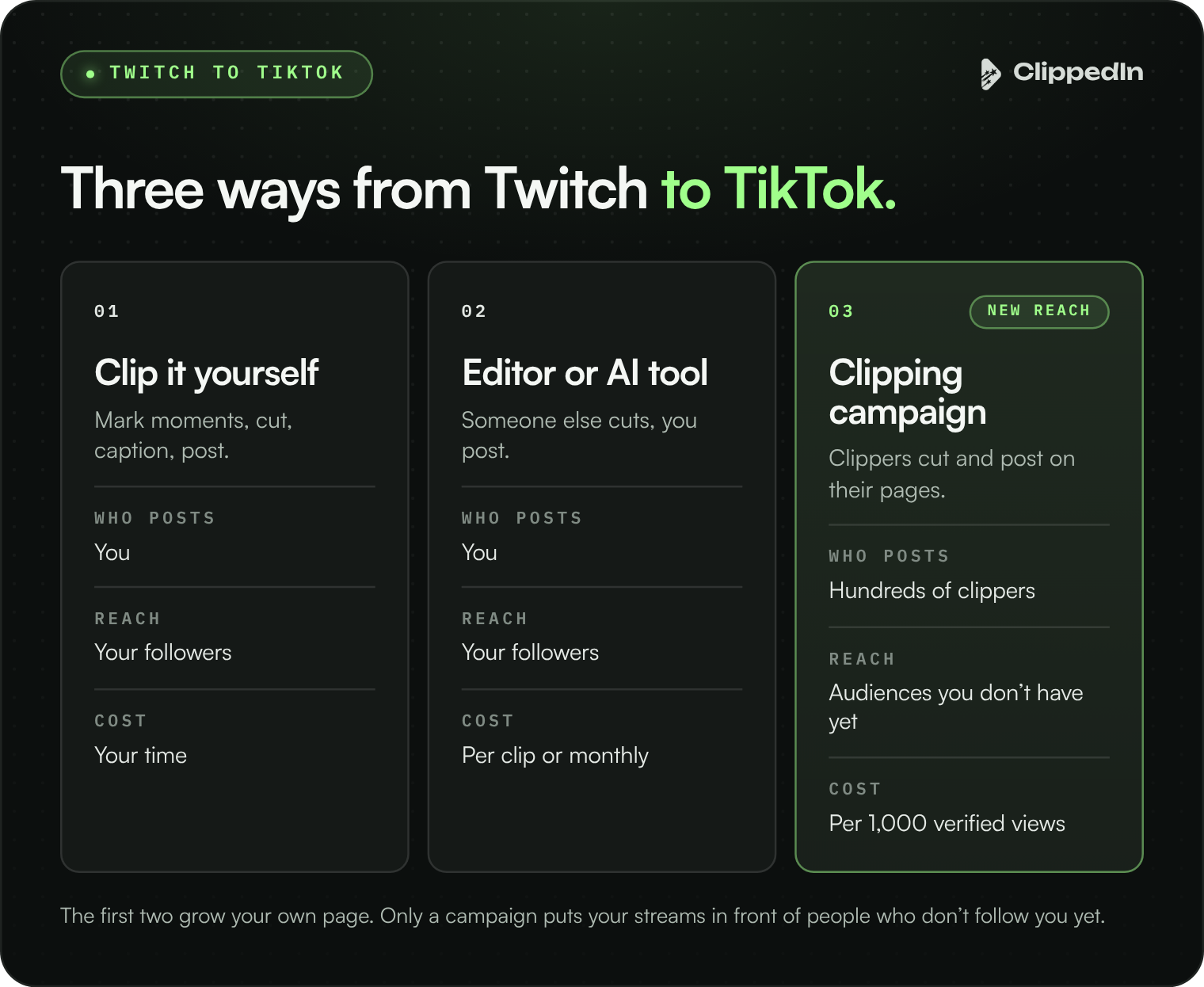
There are three ways to get your Twitch streams onto TikTok: clip them yourself, pay an editor or an AI tool to clip them for your own account, or run a clipping campaign where hundreds of clippers post your best moments from their own accounts. The first two grow your own page. A clipping campaign puts your streams in front of audiences you don’t reach yet.
For the bigger picture, see Clipping for Streamers. For budgets, see How Much Does Clipping Cost for a Streamer?
Option 1: clip them yourself
You mark moments during the stream, cut them vertically in an editor like CapCut, add captions and post on your own TikTok. It costs nothing but time, and nobody knows your moments better than you.
The catch is volume. After a long stream, few streamers have the energy to cut more than two or three clips, and one account can only post so much before it competes with itself.
Option 2: hire an editor or use an AI tool
A clip editor cuts your streams into posts for your own channels, paid per clip or monthly. AI clipping tools scan your broadcast and suggest clips automatically for a monthly fee.
Both fix the time problem. Neither fixes reach: every clip still lands on your account, in front of people who already follow you or might find you there.
Option 3: run a clipping campaign
You fund a budget. Clippers watch your streams, cut the moments they think will perform and post them on accounts they already grow, usually gaming, reaction and meme pages with their own audiences. They’re paid per 1,000 verified views, so their incentive is to make clips the platform actually pushes.
That’s how Mega McQueen’s campaigns reached 16M+ verified views from 2,900+ clips on an $11,475 budget. No single account could post that many clips, let alone reach that many people.
Setting up a clipping campaign, step by step
- Make your streams easy to clip. Keep your facecam visible and your audio clear, build recurring segments, and avoid copyrighted background music, which can get clips muted or pulled.
- Keep your broadcasts. Twitch removes past broadcasts after a set period, so turn on saving past broadcasts and make highlights of the streams you want clipped.
- Decide what’s in and what’s out. Point clippers at the moments that define you, and list anything off limits. Keep the list short; long rule lists slow clippers down.
- Set the budget and rate. Most campaigns pay $1 per 1,000 verified views, with a cap on what one clip can earn. We start streamer campaigns at $3,000.
- Launch and review. Campaigns usually go live about three days after the brief is set. Every clip is reviewed and checked for fake views before it’s paid.
- Repost the winners. When a clipper’s edit takes off, post it on your own TikTok too. You’ve just found a hook that works.
What makes a Twitch clip work on TikTok
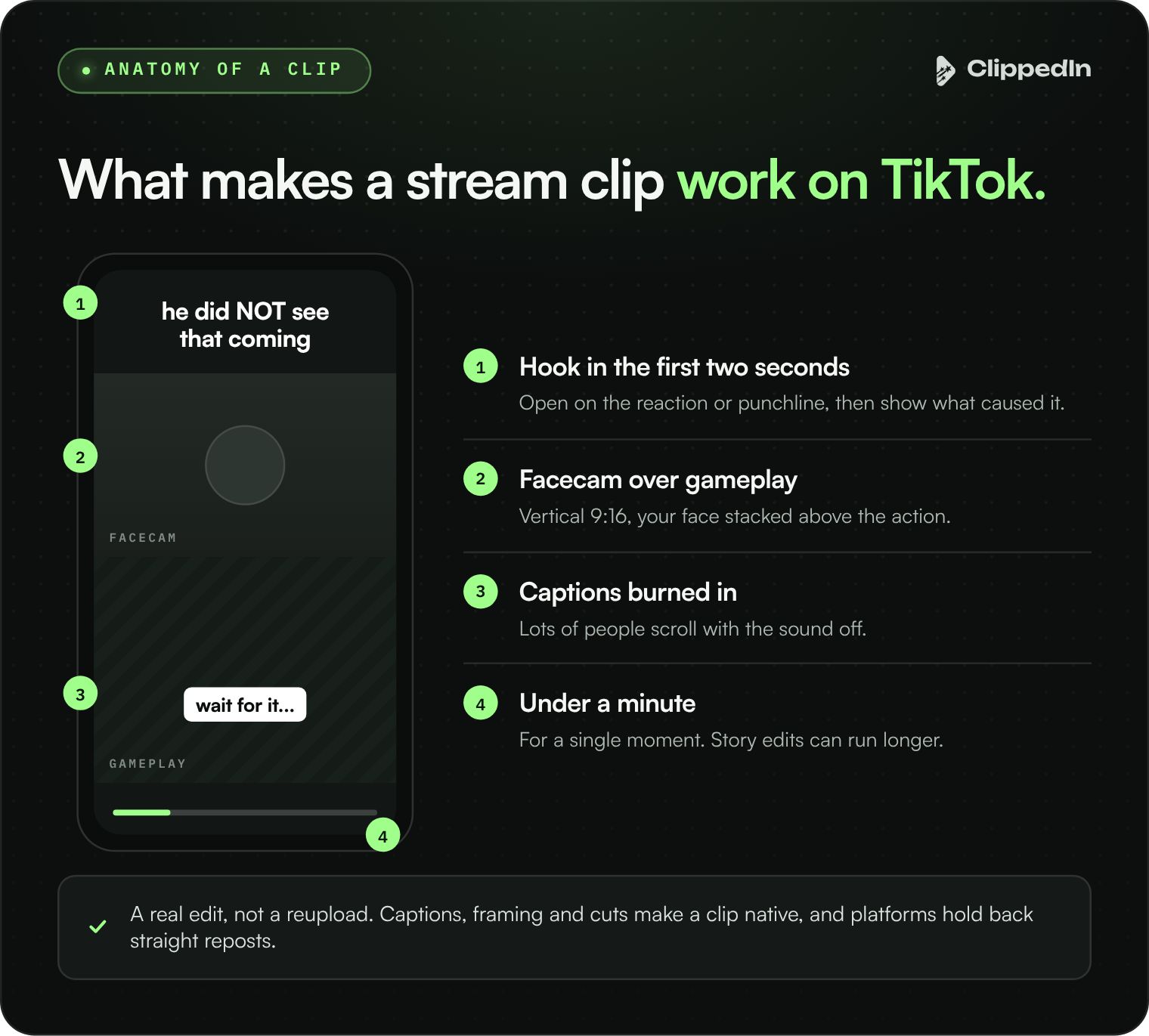
- Vertical framing. 9:16, usually with your facecam stacked above the gameplay.
- Captions burned in. Lots of people scroll with the sound off.
- A hook in the first two seconds. Open on the reaction or the punchline, then show what caused it.
- Context for strangers. One line of on screen text so someone who’s never seen you gets the joke.
- The right length. Most single moments land under a minute. Story edits that stitch several moments together can run longer.
- A real edit, not a reupload. Platforms tend to hold back straight reposts of someone else’s video. Captions, framing and cuts make a clip native.
Not just TikTok
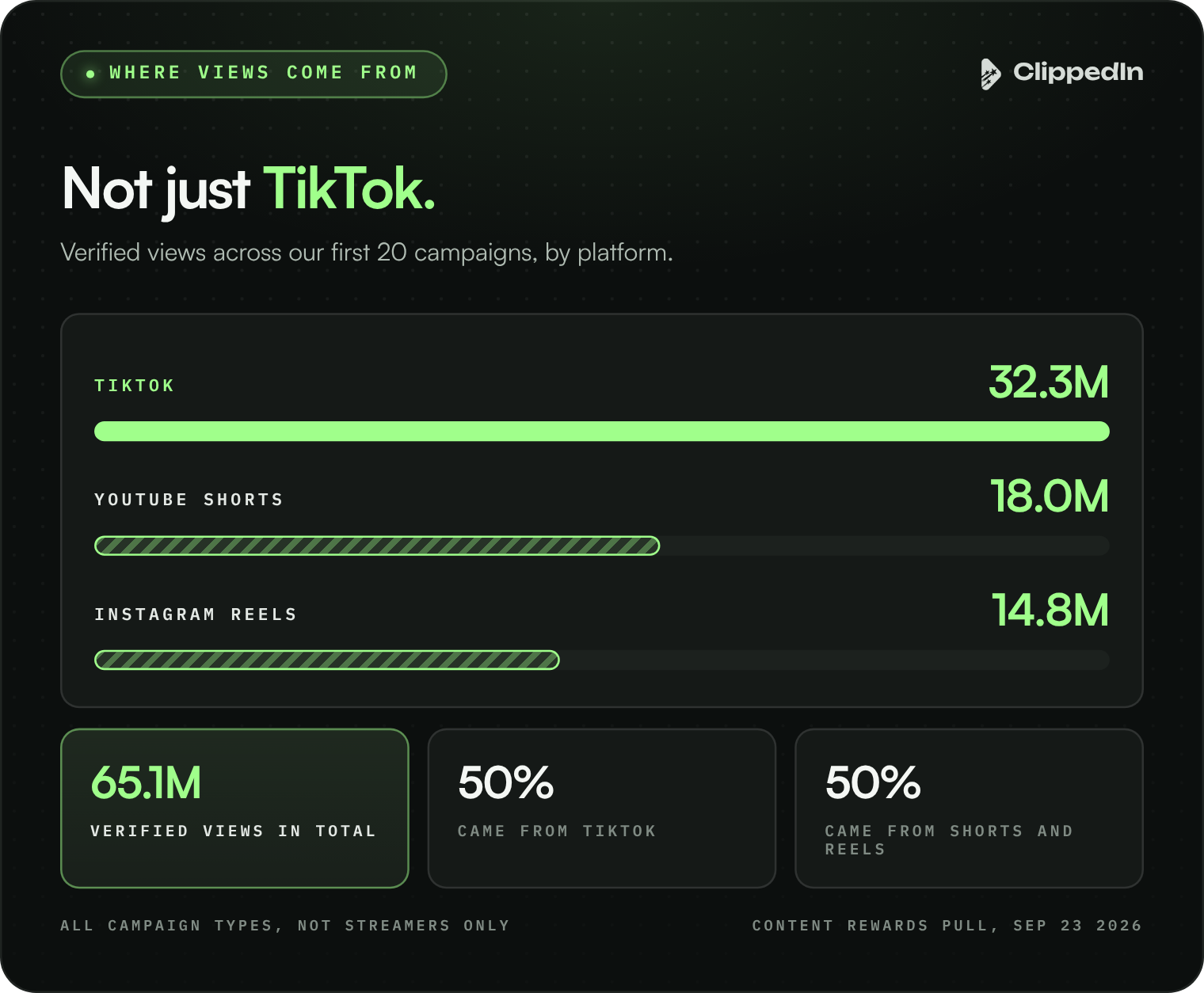
A clipping campaign posts across TikTok, Instagram Reels and YouTube Shorts at once. Across our first 20 campaigns, TikTok delivered 32.3M of 65.1M verified views, YouTube Shorts 18.0M and Reels 14.8M. Limiting a campaign to one platform leaves a third or more of the reach on the table.
FAQ
Do clippers need my permission?
Yes, and the campaign gives it. The brief sets what they can clip and how to tag you.
Will clips on other accounts hurt my channel?
No. They send new viewers your way and tag you, and they don’t touch your own account.
Does this work for Kick or YouTube streamers?
Yes. The steps are the same for any platform clippers can watch.
Are those platform numbers for streamers only?
No, they cover all of our first 20 campaigns, across music, sports and streamers.
Can I get clips on my own TikTok as well?
Yes. Repost the clips that perform, or pair a campaign with an editor for your own channels.
Bottom line
Clip it yourself for your own page, hire help for volume, and run a clipping campaign when you want your streams in front of new audiences on TikTok, Reels and Shorts at once.